MLightCAD
CAD-Viewer
cad-viewer is the first web-based DXF/DWG viewer and editor in the world that operates entirely in browser, without relying on any backend services.
By performing DWG/DXF parsing, geometry processing, and rendering directly in the browser, cad-viewer enables true serverless CAD viewing and editing, ideal for cloud apps, offline usage, and privacy-sensitive workflows.
- 🌐 Live Demo
- 🌐 API Docs
- 🌐 Wiki
- X (Twitter): @mlightcad
- YouTube: @mlightcad
- Medium: @mlightcad
- Juejin(稀土掘金): @mlightcad
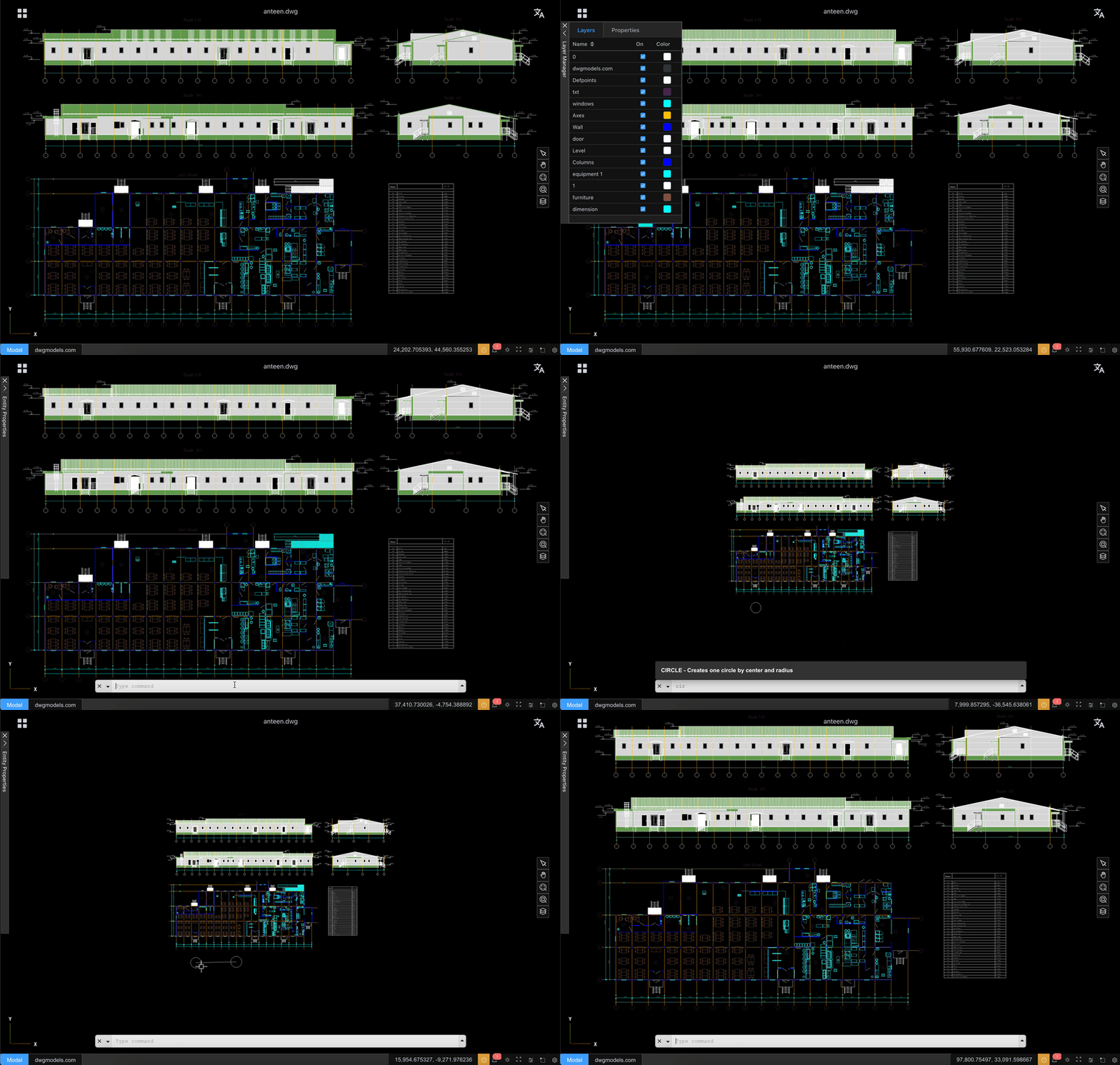
Features
- High-performance viewing of large DWG/DXF files with smooth 60+ FPS rendering
- No backend required - Files are parsed and processed entirely in the browser
- Enhanced data security - Files never leave your device, ensuring complete privacy
- Easy integration - No server setup or backend infrastructure needed
- Modular architecture for seamless third-party integration
- Offline and online editing workflows
- THREE.js 3D rendering engines with advanced optimization techniques
- Designed for extensibility and integration with platforms like CMS, Notion, and WeChat
How to Use
Desktop Browser Operations
- Select: Left-click on entities
- Zoom in/out: Scroll mouse wheel up/down
- Pan: Hold middle mouse button and drag
- Erase: Select entities and press
Delkey
Pad/Mobile Browser Operations
- Select: Tap on entities
- Zoom: Pinch with two fingers
- Pan: Single-finger drag
Performance
CAD-Viewer is engineered for exceptional performance and can handle very large DXF/DWG files while maintaining high frame rates. It employs multiple advanced rendering technologies to optimize performance:
- Custom Shader Materials: Uses GPU-accelerated shader materials to render complex line types and hatch fill patterns efficiently
- Geometry Batching: Merges points, lines, and areas with the same material to dramatically reduce draw calls
- Instanced Rendering: Optimizes rendering of repeated geometries through instancing techniques
- Buffer Geometry Optimization: Efficient memory management and geometry merging for reduced GPU overhead
- Material Caching: Reuses materials across similar entities to minimize state changes
- WebGL Optimization: Leverages modern WebGL features for hardware-accelerated rendering
These optimizations enable CAD-Viewer to smoothly render complex CAD drawings with thousands of entities while maintaining responsive user interactions.
Known Issues
CAD-Viewer has some known limitations that users should be aware of:
- Unsupported Entities:
- Tables (DWG files only): Table entities are not currently supported in DWG files because LibreDWG is used to read DWG files and it doesn't support table entity yet. If one table is created by line and polyline entities, definitely it is supported.
- XRefs: External references (XRefs) are not supported and will not be displayed.
- DWG File Compatibility:
- Some DWG drawings may fail to open due to bugs in the underlying LibreDWG library. This is a known limitation of the current DWG parsing implementation. If you find those issues, please log one issue on CAD-Viewer issues page or LibreDWG issues page.
- In the Chinese architecture and construction industry, CAD drawings are widely created using Tianzheng software. However, many entities in Tianzheng drawings are proprietary custom objects, and no public APIs are provided to access or parse their internal data. As a result, before opening such drawings with CAD-Viewer, they must first be converted to T3 format using Tianzheng. After conversion, the drawings can be correctly opened and viewed in CAD-Viewer.
These issues are being tracked and will be addressed in future releases.
Roadmap
The goal of this project is to create a full-featured 2D AutoCAD-like system in the browser (viewer + editor), with modular architecture and framework-agnostic integration.
Legend:
- [x] Completed
- [ ] Planned
- [ ] ⏳ In progress
Core File & Data Layer
File Support
- [x] DXF loading
- [x] DWG loading
- [x] Large file streaming / incremental loading
- [ ] ⏳ File version compatibility (R12–Latest)
Data Model
- [x] Unified entity data model
- [x] Layer table support
- [x] Block / insert structure
- [ ] ⏳ Handle & object ID management: currently objectId is same as handle and represented as one string instead of bigint (int64).
- [ ] ⏳ XData / extension dictionary support
- [ ] Proxy entity handling
Rendering & Performance
Rendering Engine
- [x] WebGL-based rendering (Three.js)
- [x] 2D-only optimized pipeline
- [x] Layer-based scene organization
- [x] Layout / paper space rendering
- [ ] Viewport entity support
Performance Optimization
- [x] Geometry merging & batching
- [x] Spatial indexing (basic)
- [x] Advanced spatial index (R-tree / BVH)
- [ ] Level-of-detail (LOD) rendering
- [ ] Multi-canvas / tiled rendering for very large drawings
Viewing & Navigation
View Controls
- [x] Pan
- [x] Zoom (wheel / box zoom)
- [x] Fit to view / extents
- [ ] Named views
- [ ] View history (undo / redo view changes)
Display Controls
- [x] Layer visibility on/off
- [ ] Layer freeze / lock
- [ ] Lineweight display
- [ ] Linetype scaling
- [ ] ⏳ Background / theme switching
Selection & Interaction
Selection
- [x] Single entity selection
- [x] Highlight selected entities
- [ ] Window selection
- [ ] Crossing selection
- [ ] Selection filters (by type / layer)
- [ ] Selection cycling
Snapping (OSNAP)
- [ ] ⏳ Endpoint: Now working for INSERT entity yet.
- [x] Midpoint
- [ ] ⏳ Center
- [ ] Intersection
- [ ] Perpendicular / tangent
- [ ] ⏳ Nearest
- [ ] Snap tracking
Editing & Modification
Basic Editing
- [x] Entity editing framework
- [ ] Move
- [ ] Copy
- [ ] Rotate
- [ ] Scale
- [x] Delete
- [ ] Undo / redo
Geometry Editing
- [ ] Grip points
- [ ] Stretch
- [ ] Trim
- [ ] Extend
- [ ] Offset
- [ ] Explode
- [ ] Join / fillet / chamfer (2D)
Drawing & Creation Tools
Basic Entities
- [x] Line
- [ ] Polyline
- [x] Circle
- [ ] Arc
- [ ] Ellipse
- [ ] Rectangle / polygon
Advanced Entities
- [ ] Hatch
- [ ] Text (single-line / multi-line)
- [ ] Dimensions (linear, aligned, angular)
- [ ] Blocks creation & insertion
Measurement & Dimension
- [ ] ⏳ Distance measurement & dimension
- [ ] Area measurement & dimension
- [ ] Angle measurement & dimension
- [ ] Coordinate readout
- [ ] Entity statistics (length, area, count)
Properties & UI Panels
Property Palette
- [x] Selected entity properties
- [ ] Layer, color, linetype editing
- [x] Live update on change
Panels & UI
- [x] Layer manager
- [ ] Block manager
- [x] Command history / console
- [ ] ⏳ Status bar (snap, ortho, grid)
Command System
- [x] Command registry
- [ ] Command aliases
- [ ] Keyboard-driven workflow
- [x] Command prompts (AutoCAD-style)
Integration & Extensibility
Framework Integration
- [x] Framework-agnostic core
- [ ] React integration example
- [x] Vue integration example
- [ ] OpenLayers / Map integration
- [ ] CMS / Notion embedding
Plugin System
- [x] Plugin API
- [ ] Custom entity support
- [x] Custom command
Offline & Online Editing
Offline Editor
- [ ] ⏳ Local editing in browser
- [ ] Save to DXF
- [ ] Save change set / diff
- [ ] IndexedDB persistence
Online Editor
- [ ] Backend API design
- [ ] User authentication
- [ ] File versioning
- [ ] Multi-user access control
- [ ] Real-time collaboration (future)
Platform Targets
- [ ] ⏳ Google Drive Integration
- [ ] WeChat Mini Program viewer
- [ ] Mobile browser support (read-only)
Documentation & Community
- [x] Architecture documentation
- [x] API reference
- [ ] Contribution guide
- [x] Example projects
- [x] Roadmap & changelog maintenance
This roadmap is intentionally granular so contributors can clearly see what exists, what is missing, and where help is needed.
Contributing
Contributions are welcome! Please open issues or pull requests for bug fixes, new features, or suggestions. For bug reports, providing a link to the problematic drawing will help in reproducing and fixing the issue.